The Problem
When I am working with AI coding agents, i.e. Codex, in my personal GitHub repositories, I want the AI agent to have their own identity, so I can properly approve Codex’s pull requests, while maintainting strict protection which I have configured for the default branch in my repository.
Normally, Codex uses the very same SSH key and identity as you, so all commits and pull-requests are created on your behalf, with you as an author.
At best, it’s possible to instruct an agent (e.g. via AGENTS.md instruction) to append “Co-authored-by” to the commit message.
In that case services like Github correctly recognise co-authorship and contribution from the coding agent (Claude Code, Codex, etc).
Even though some people don’t like it and try to hide this information for some reason 🤷
You also can not approve your own pull requests, or in the comments it looks like you are talking to yourself.
The Solution
To achieve clear separation, I chose to take the root of creating a dedicated Github account for my coding assistant.
Since I have my own domain, and I use Cloudflare’s Email Routing, I managed to assign a dedicated email address for my AI agent,
while I still receive its emails into my own mailbox.
This is needed because Github will be sending different emails to your Coding Agent:
an activation email with the code, Accept / Decline invitation to join the repository, etc.
If you don’t have your own mail server domain, you still can receive emails into your Gmail or Outlook mailbox
if you register an email like <your-primary-email-username>[email protected].+ is essential, so you receive emails forwarded to your own mailbox.
Once a dedicated account for your AI coding assistant is registered on Github, you need to add SSH key to that profile, so it can contribute changes and sign commits.
You also need to generate a dedicated GH_TOKEN, which then will be used by the Codex harness to open PR’s, push commits, etc.
Here I am assuming you use gh cli for operations. It’s possible to do that via Github’s MCP actually.
Anyway. Go and generate a dedicated SSH key for your agent on your (Linux) host, e.g.:
ssh-keygen -t ed25519 -f ~/.ssh/id_ed25519_codex -C "codex-agent"
Then copy the value of the public key, e.g.:
xclip -sel clip < ~/.ssh/id_ed25519_codex.pub
Go your Account settings in Github and open SSH and GPG keys page.
You need to add this public key 2 times: one for authentication, and another for signing the commits — it is generally a good idea and a secure practice to require signing of the commits.
Once Github Account of your AI assistant is set up, you need to configure Codex on your local machine, so the harness picks up the correct SSH key and correctly specifies author of the commit.
For your agent to be able to push changes and open pull requests, you need to generate for it classic access token.
Go to Personal access tokens page and click the “Generate new token” link or button.
Select needed permissions (repo is a must), and save it.
It’s time to configure Codex harness to use this dedicated SSH key and Github Access Token.
Add next configuration items to the ~/.codex/config.toml:
[shell_environment_policy]
inherit = "core"

[shell_environment_policy.set]
# 1. GitHub CLI authentication for PRs and issues (from the bot account)
GH_TOKEN = "YOUR_BOT_CLASSIC_TOKEN_HERE"

# 2. Dedicated SSH transport key for push/pull
GIT_SSH_COMMAND = "ssh -i /home/YOUR_USERNAME/.ssh/id_ed25519_codex -o IdentitiesOnly=yes"

# 3. Distinct commit author & committer identity (use the bot account's noreply email)
GIT_AUTHOR_NAME = "Codex Agent"
GIT_AUTHOR_EMAIL = "<your-codex's-email-address>"
GIT_COMMITTER_NAME = "Codex Agent"
GIT_COMMITTER_EMAIL = "<your-codex's-email-address>"

# 4. Enable SSH commit signing only for Codex sessions
GIT_CONFIG_COUNT = "3"
GIT_CONFIG_KEY_0 = "gpg.format"
GIT_CONFIG_VALUE_0 = "ssh"
GIT_CONFIG_KEY_1 = "user.signingkey"
GIT_CONFIG_VALUE_1 = "/home/YOUR_USERNAME/.ssh/id_ed25519_codex.pub"
GIT_CONFIG_KEY_2 = "commit.gpgsign"
GIT_CONFIG_VALUE_2 = "true"
Since access token is added as a plain text to global codex config file, make sure that only local user can read it:
chmod 600 ~/.codex/config.toml
Make sure you restarted Codex, because it caches the config file!
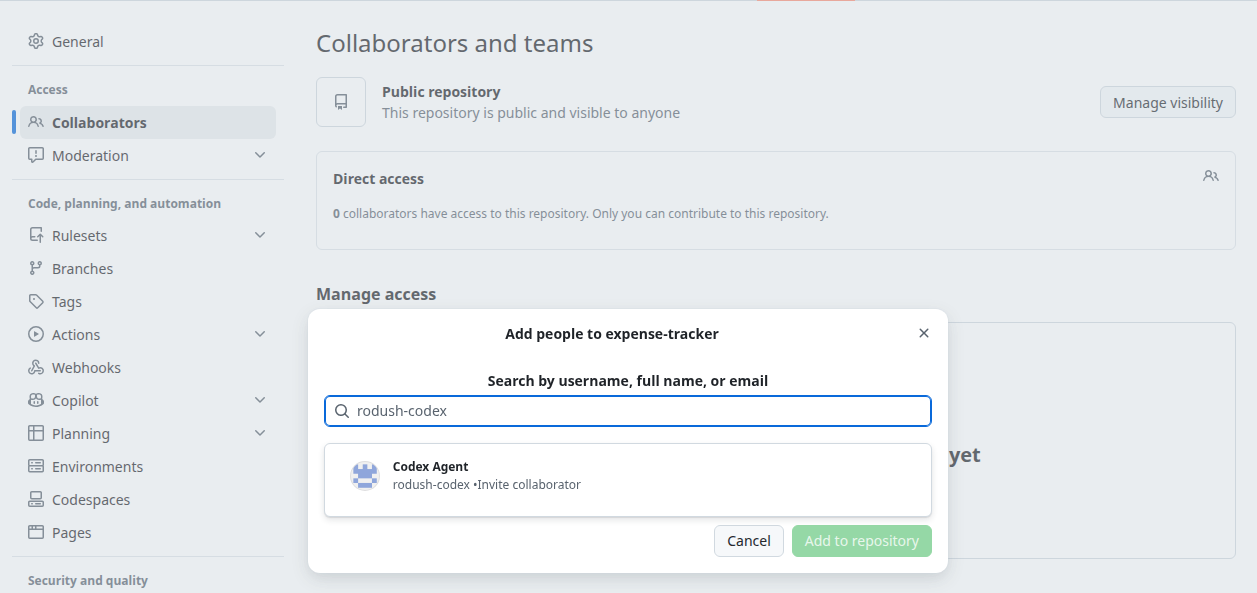
Now, invite your AI companion as a contributor to the repository:
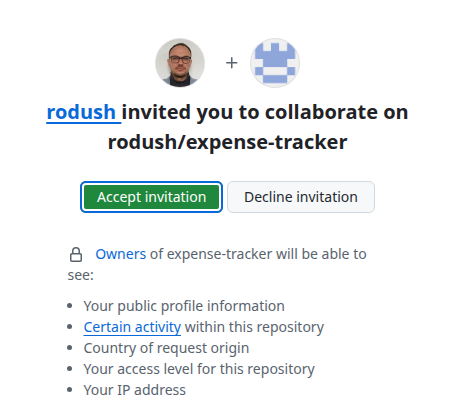
And the Codex Agent needs to accept that invitation:
All set up and connect now. You can continue your development and enjoy better collaboration experience in Github.
Results
- Clear separation of concerns and ownership
- You don’t compromise your own SSH key which you might be using in other places (like connecting to remote boxes via ssh)
- You can invite Codex as a collaborator project by project, in such way reducing blast radius in case of ssh key compromise
- You can enforce protections of the branch and do not have to bypass those every time you want merge PR opened by your coding assistant
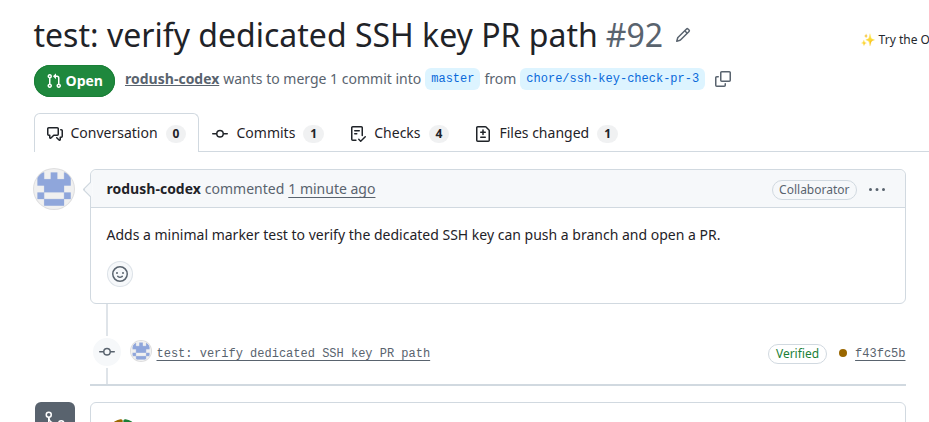
See how Pull Request is now opened by the Codex Agent:
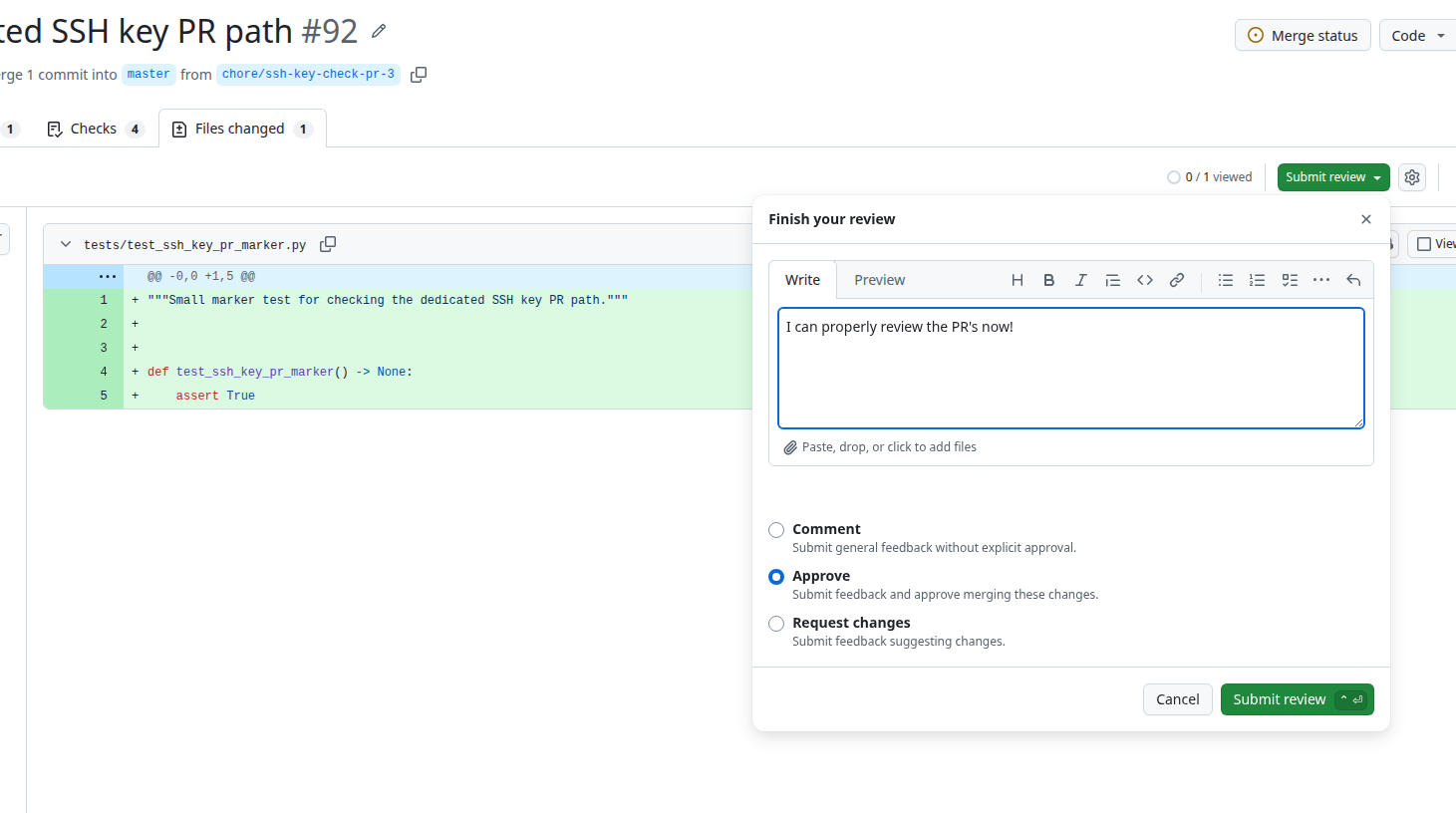
And now I can properly Approve the PR 🎉: